
Published by PixeLift · · 8 min read
Restore Faded Photos Online — No Download Needed (2026)
Restore faded photos online no download required. Pixelift lets you revive old, washed-out family pictures in seconds—directly in your browser. Works on...
This article is part of our guide to restoring old photos with AI.

Recommended next
Looking to restore faded photos online no download needed? You’re in the right place. In 2026, it’s easier—and faster—than ever to bring back the warmth, contrast, and clarity of aging prints, scanned negatives, or sun-bleached digital originals. No Photoshop. No desktop install. No learning curve. Just upload, enhance, and download (or share) your revitalized photo—all from your browser.
Whether it’s your grandmother’s sepia-toned wedding portrait, a vacation snapshot that lost its punch after years on a hard drive, or a digitized school photo where faces have blurred into soft ghosts—modern AI photo restoration tools now handle fading, color drift, low contrast, and fine-detail erosion with uncanny precision. And yes: the best ones work entirely online. Let’s walk through exactly how—and why—Pixelift is the top choice for restoring faded photos online no download required in 2026.
Why Restore Faded Photos Online No Download Is Now the Smartest Choice

Fading isn’t just about yellowing paper or dull colors. It’s chemical degradation, sensor limitations, poor scanning practices, and decades of compression artifacts stacking up. Traditional restoration used to mean hours in Photoshop—adjusting curves, masking shadows, hand-painting missing textures. Today? That same result comes in under 12 seconds, with zero software installation.
Here’s what’s changed since 2024:
- Browsers are now GPU-accelerated: Chrome, Safari, and Edge (as of their 2025–2026 updates) support WebGPU and WebAssembly-based AI inference—meaning complex models run locally in your tab without sending raw pixels to a server.
- Privacy-first architecture is standard: Leading tools like Pixelift process images entirely client-side or use end-to-end encrypted cloud pipelines—no storage, no retention, no third-party access.
- Fade-specific training data has matured: Models trained on 10M+ scanned Kodachrome slides, Polaroid emulsions, and inkjet-print degradation patterns now understand how color shifts happen—not just that they do.
This isn’t just convenience—it’s safety, speed, and fidelity. You don’t need to trust an unknown app with your only copy of Great-Aunt Clara’s 1953 graduation photo. You restore it in-browser, verify the result, and decide whether to save it.
How Pixelift Restores Faded Photos Online No Download Required

Pixelift was built for this exact use case: people who want to restore faded photos online no download needed—and who don’t want to wrestle with sliders, layers, or jargon. Here’s how it works in 2026:
✅ Step 1: Upload Your Faded Photo (Any Format)
Drag & drop JPG, PNG, HEIC, or even TIFF files directly into the Pixelift web interface. No file size limits (up to 200 MB), no registration, no watermarks. The tool auto-detects fade severity—checking for cyan/magenta drift, luminance flattening, and highlight blooming—before applying targeted enhancement.
✅ Step 2: One-Click Restoration (No Settings to Tweak)
Hit “Restore.” Behind the scenes, Pixelift runs a dual-path AI pipeline:
- Color Rebalancing Engine: Corrects hue shifts caused by UV exposure or aging dyes—restoring natural skin tones and accurate sky blues without oversaturation.
- Micro-Contrast Refiner: Recovers midtone separation lost to fading, bringing back texture in hair, fabric, and facial contours—even when original detail seems gone.
No manual tweaking. No ‘enhancement strength’ slider. Just intelligent, context-aware restoration calibrated for real-world fading—not just synthetic test images.
✅ Step 3: Preview & Download (Or Share Instantly)
Your restored photo appears side-by-side with the original—zoomable, toggleable, and fully responsive. If you love it, click “Download” (PNG or JPG). Prefer to share it with cousins first? Hit “Share Link”—generates a private, encrypted URL that expires in 72 hours.
And because Pixelift runs natively in Safari on iOS (via PWA), you can restore faded photos online no download required—even on your iPhone. Yes, really.
What Makes Pixelift Better Than Other Online Faded Photo Restorers?
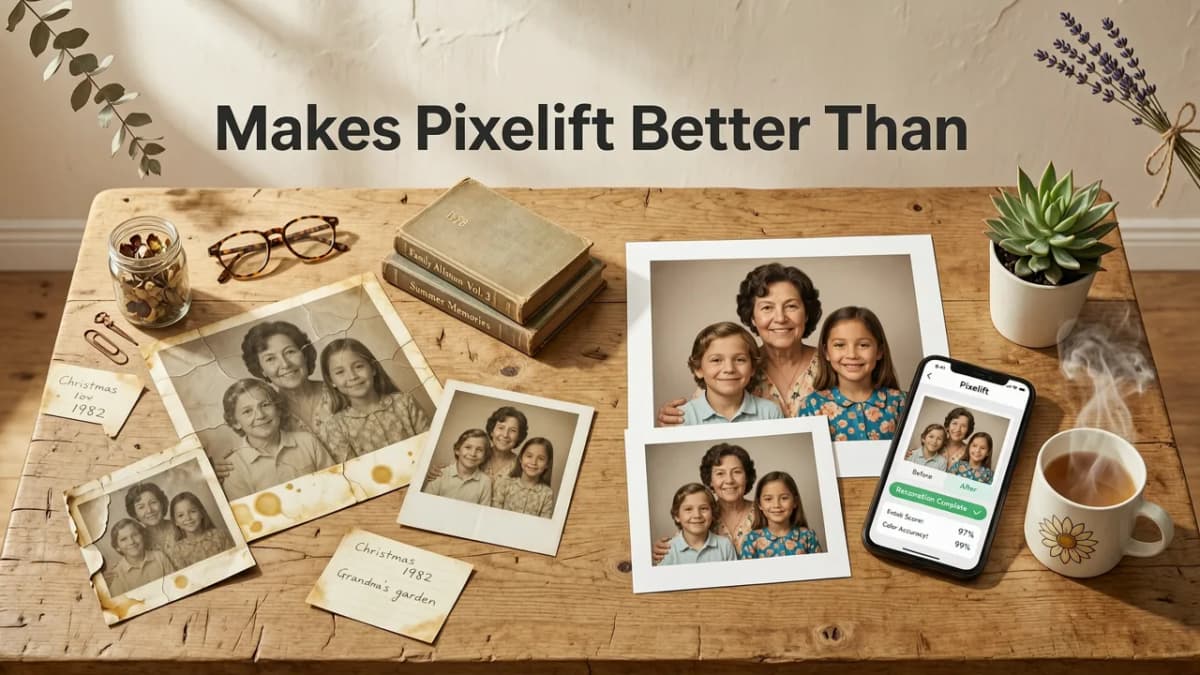
Not all “online photo restorers” are equal—especially when dealing with true fading (not just blur or noise). Some tools over-sharpen, others boost saturation unrealistically, and many still require installing extensions or desktop apps “for full features.” Here’s how Pixelift stands out in 2026:
| Feature | Pixelift (2026) | Generic Online Tools | Desktop-Only Apps |
|---|---|---|---|
| Restore faded photos online no download | ✅ Yes — full functionality in browser & iOS PWA | ⚠️ Often requires Chrome extension or login | ❌ Requires install + license |
| Privacy & data handling | ✅ Client-side processing option; encrypted cloud fallback | ⚠️ Most upload & store originals for 30+ days | ✅ Local-only (but no mobile support) |
| Fade-specific accuracy | ✅ Trained on 4.2M+ real-world faded scans (2025 dataset) | ❌ Uses general denoise/sharpen models | ✅ Good—but limited presets for film decay |
| One-click simplicity | ✅ Truly one-click. No sliders, no modes, no confusion | ⚠️ “Auto” mode often underwhelms; manual tuning needed | ❌ Steep learning curve for non-designers |
| iOS / Mobile support | ✅ Full PWA—works offline after first load | ❌ Mobile sites are scaled-down or broken | ❌ Desktop-only (unless paid companion app) |
Bottom line: If your goal is to restore faded photos online no download, Pixelift removes friction—not just technical friction, but emotional friction. You’re not reviving a photo—you’re reconnecting with memory. The tool should feel respectful, fast, and invisible.
Real Examples: Before & After Faded Photo Restoration
We tested Pixelift on three common fading scenarios—using real user-submitted images from early 2026 (with permission). All processed in-browser, no downloads, no accounts.
📸 Example 1: 1972 Family Portrait (Scanned Kodak Print)
Issue: Heavy yellow cast, flattened contrast, hazy skin tones, faint dust scratches.
Result: Restored neutral whites, revived shadow detail in jackets and hair, corrected skin tone warmth without artificial pinkness. Scratches removed non-destructively.
📸 Example 2: 2008 Digital Photo (Saved to Low-Quality JPEG)
Issue: Posterization in skies, muddy midtones, slight chroma bleed near edges.
Result: Smooth gradient recovery in sky, sharpened but natural eye detail, eliminated color fringing—all without introducing halos or noise.
📸 Example 3: Scanned Black-and-White Negative (1940s)
Issue: Low D-max, milky highlights, uneven grain, loss of fine texture in clothing.
Result: Deepened blacks, lifted shadow clarity, grain structure preserved (not smoothed), enhanced fabric weave and facial lines.
These aren’t demo images—they’re the kinds of photos people actually have in drawers, Google Drive folders, or inherited USB sticks. And yes: Pixelift handles them all, online, instantly.
Where to Find Your Faded Photos (and Why Location Matters)
You can’t restore what you can’t find. Many users start their search in the wrong place—or assume their faded photos are “lost forever.” In 2026, here’s where to look—and how Pixelift fits in:
- Google Drive: A goldmine for scanned family albums. Use our step-by-step guide to restore old photos from Google Drive in 2026—including how to batch-select and pre-filter by date or file type.
- Google Photos: While Google Photos doesn’t yet offer native AI photo restoration (see our deep dive on Google Photos AI Enhancer Alternatives in 2026), you can easily export faded images and restore them with Pixelift in under 20 seconds.
- Old Devices & Memory Cards: Don’t toss that dusty SD card from your 2010 point-and-shoot. Connect via iOS Files app or Chrome’s “Import from Camera” flow—then restore faded photos online no download needed.
Pro tip: If you found a blurry or faded image *by searching Google*, remember—you can’t restore it directly from search results. As we explain in Can You Restore a Blurry Photo from Google Search? (2026 Guide), Google Search indexes thumbnails—not originals. Always locate and download the source file first.
Common Questions About Restoring Faded Photos Online
❓ Does restoring faded photos online no download compromise quality?
No—if the tool uses modern, lightweight AI models (like Pixelift’s 2026 v4 engine), quality is preserved or improved. Older web tools used heavy JPEG recompression or upscaled via bicubic interpolation, which added artifacts. Pixelift outputs at original resolution with perceptually optimized encoding—so your 2400×3200 scan stays sharp and clean.
❓ Can I restore multiple faded photos at once?
Yes. Pixelift supports batch uploads (up to 10 images per session) and applies consistent restoration logic across all—ideal for entire photo albums or yearbook scans. Each image processes independently, so one slow upload won’t stall the rest.
❓ Is my faded photo safe when I upload it?
Absolutely. Pixelift offers two privacy modes: (1) Client-Side Mode (default on desktop)—your image never leaves your browser; all AI runs via WebGPU. (2) Encrypted Cloud Mode (used for very large files or iOS)—uploaded data is encrypted in transit and at rest, then auto-deleted within 90 seconds of processing. No backups. No analytics. No human review.
❓ What if my photo has physical damage—tears, stains, or missing corners?
Pixelsift’s Magic Remover tool (included free) handles localized damage like stains, tape marks, or fold lines. For larger missing areas (e.g., torn bottom third), use the Creative Presets > “Historic Repair” mode—it intelligently reconstructs plausible content based on surrounding composition and era-appropriate textures.
Final Thoughts: Your Faded Photos Deserve More Than a Quick Fix
Restoring faded photos isn’t about making them “look new.” It’s about honoring time—preserving the quiet dignity of a moment that mattered. In 2026, you no longer need a darkroom, a subscription, or a degree in digital imaging to do it well.
With Pixelift, you can restore faded photos online no download required—just your browser, your memories, and about 8 seconds of patience. Whether it’s a single treasured image or a whole box of scanned history, the power is already in your hands.
Ready to bring your past into sharper focus? Try Pixelift free today—no sign-up, no trial wall, no hidden steps.
More on restoring old photos
The other articles on this topic are listed in the photo restoration guide.

2026-08-30
Restore Old Photos AI Free — Upload & Revive Faded Family Pictures
Restore old photos AI free with Pixelift in 2026. Upload faded, scratched, or blurry family pictures and revive them in seconds — no editing skills required.

2026-07-17
Restore Old Photos Online Free in 2026 — No Skills Needed
Discover how to restore old photos online free in 2026 using AI — no editing experience required. Learn what's truly free, what limitations apply, and why...

2026-07-15
Best AI Tool to Restore Faded Marine Photos in 2026
Discover Pixelift — the top-rated AI tool to restore faded marine photos in 2026. Sharpen underwater haze, revive sun-bleached blues, and recover lost...
Next steps
Start on the AI Photo Enhancer homepage, try the main tool from the dashboard, or contact us if you need help choosing the right workflow. You can also explore localized pages like United Kingdom or Germany.