
Online AI photo enhancer for blurry, low-resolution and old photos
AI Enhnace Photo Online with Pixelift
AI Enhnace Photo with Pixelift to sharpen blurry pictures, upscale low-resolution images, restore old photos and improve portraits or product shots online in seconds.
- No editing skills needed
- Fast results in seconds
- Great for portraits, products and old photos
Get started now. Upload your image, choose the right AI tool and quickly download a cleaner, sharper result.

AI photo enhancer features and benefits
Use Pixelift to sharpen portraits, upscale low-quality images, remove distractions and get cleaner visuals from a single AI workflow.
Need a deeper walkthrough? Read our guides on how to enhance photo quality, using an AI image upscaler, and restoring old photos with AI.
Choose the right tool for every photo
Open the workspace, pick the flow that fits your image and get a better result without switching between multiple editing apps.
How to improve photos online in 3 steps
Upload your photo, choose the best AI workflow and download a cleaner, sharper image without complex manual editing.
Want the full process? Start with our article on enhancing photo quality, then explore when to use an AI image upscaler.
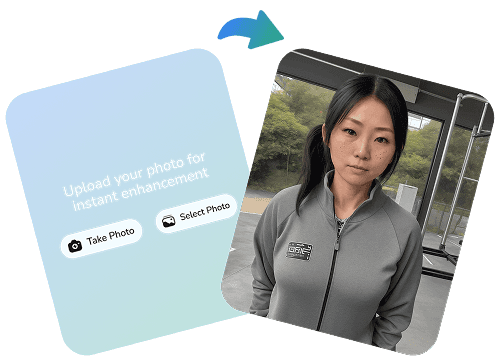
Upload your photo
Upload the image you want to improve. Pixelift works for portraits, product shots, old family photos, blurry images and everyday visuals that need more clarity.
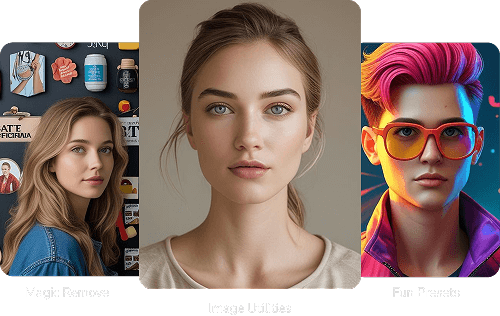
Choose the best AI tool
Pick the right flow for your image, from sharpening and upscaling to restoration, object removal and quick cleanup.
Download a sharper result
Pixelift improves detail, light, texture and edges to create a clearer, more natural image. Your result is ready to download and share in seconds.
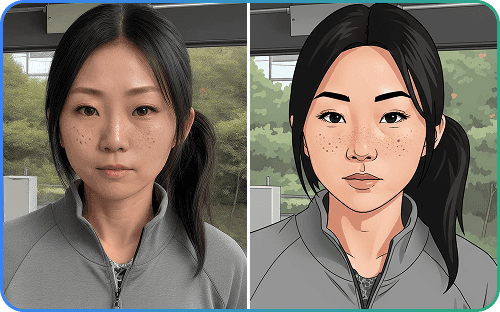
Before and after results with AI Photo Enhancer
See how Pixelift improves photo quality with sharper details, cleaner light, better colour and more polished results for portraits, products and old images.
Compare these results with our deeper guides on how to enhance photo quality, AI upscaling, and old photo restoration.


Start now and improve every photo in one workflow
From blurry portraits to product shots and old family pictures, Pixelift gives you one place to sharpen, upscale, restore and export better images faster.
- Use it straight in your browser
- One workflow for enhancement, upscaling and cleanup
- Download ready-to-use images quickly
Ideal for portraits, ecommerce, social media and old photo restoration.

Chosen for fast, natural photo enhancement
Creators, online sellers and everyday users choose Pixelift when they want cleaner, sharper images without complicated editing software.
Frequently asked questions about AI Photo Enhancer
Looking for more AI photo enhancement tips? Visit our blog for optimization ideas and product updates, or jump straight to enhance photo quality , AI image upscaler , and restore old photos. For help, you can also contact us.
Need help choosing the right workflow?
Tell us what kind of images you want to improve and we will help you choose the best Pixelift flow for enhancement, restoration or cleanup.
support@aienhancephoto.com
Office #112, 2nd Floor Kohinoor Plaza 1, Faisalabad, Punjab, Pakistan
+92 (300) 1234 968