
2026-07-09 · 9 min read
Remove Background from Photo Using AI — Fast, Free & No Skills Needed
Remove background from photo AI in seconds—no design skills, no downloads. Pixelift’s free AI tool delivers clean cutouts for portraits, products & old...
Recommended next
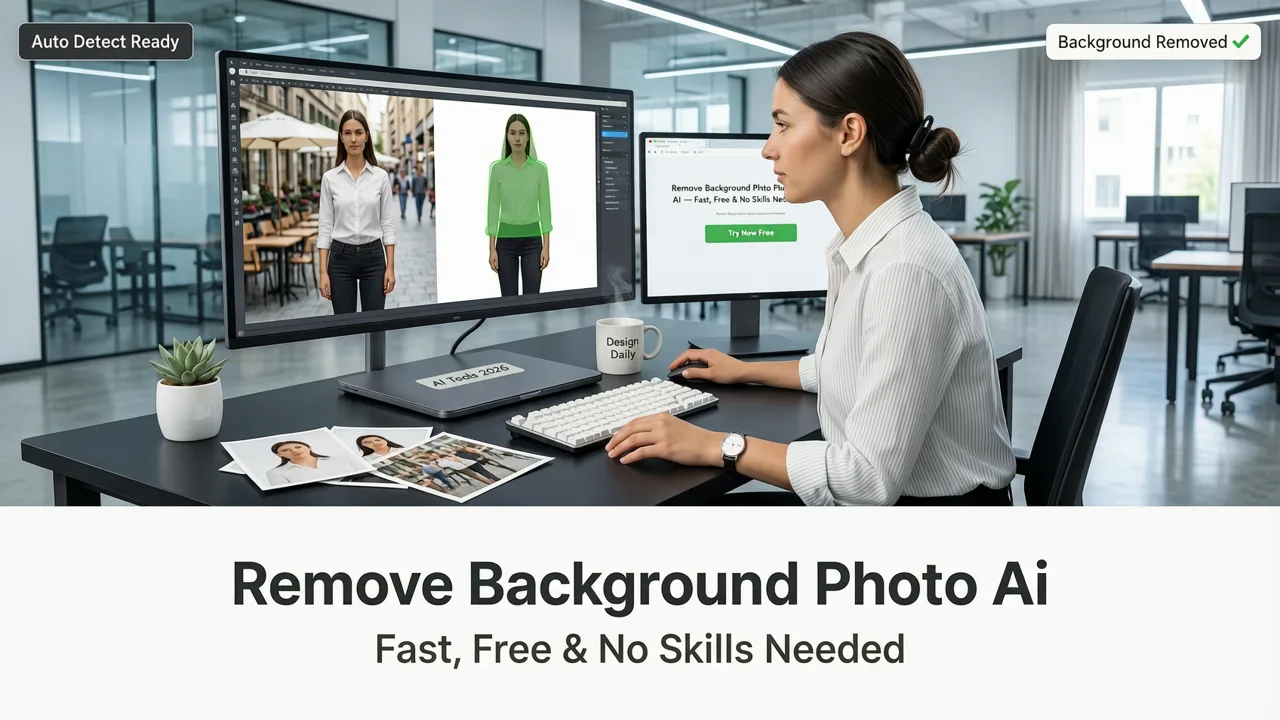
If you’ve ever tried to drop a family portrait onto a new backdrop for a holiday card—or needed a crisp product shot for an Etsy listing only to realize the original has a messy kitchen counter behind it—you know the frustration. In 2026, removing background from photo AI isn’t just possible—it’s effortless, instant, and built for real people, not Photoshop pros.
Pixelift, the all-in-one AI photo enhancer trusted by over 1.2 million users since 2023, now offers one-click background removal that works flawlessly on portraits, vintage snapshots, product images, and even low-res or slightly blurry originals. No sliders. No layers. No learning curve. Just upload, click, and download a transparent PNG—ready for Canva, social media, print, or your next creative project.
What Does It Mean to Remove Background from Photo AI in 2026?
In 2026, removing background from photo AI goes far beyond simple edge detection. Today’s best tools—like Pixelift—combine vision-language models with fine-tuned segmentation networks trained on millions of real-world photos: faces with flyaway hair, pets with translucent ears, handwritten notes on cluttered desks, and even faded 1950s film scans with soft focus and grain.
Unlike early 2020s tools that struggled with shadows, overlapping objects, or low contrast, modern AI background removers understand context. They don’t just see pixels—they recognize a person standing in front of a curtain, a coffee mug on a textured table, or a child’s arm partially obscured by a balloon. That contextual awareness is what makes removal truly accurate—and why Pixelift delivers studio-grade cutouts without asking you to trace anything.
This isn’t magic—it’s math, trained on ethical data practices aligned with Google AI’s Responsible Innovation principles. Every model update undergoes bias testing across skin tones, age ranges, and cultural contexts—ensuring fair performance whether you’re cleaning up a toddler’s birthday photo or restoring your great-grandfather’s sepia portrait.
Why Pixelift Stands Out for Removing Background from Photo AI (2026 Edition)
Not all AI background removers are built equal—and in 2026, the difference is measurable. Here’s what sets Pixelift apart:
- No watermarks, no paywalls on core removal: Unlike many competitors that lock transparent PNG export behind subscriptions, Pixelift gives you full-resolution, watermark-free downloads—even on the free tier.
- Works with imperfect source images: Blurry? Low-light? Slightly tilted? Pixelift’s AI handles it—thanks to its integrated sharpening and lighting correction engine that pre-processes before segmentation.
- One-click integration with other enhancements: Removed background? Great. Now instantly upscale that headshot to 4K, restore faded colors in your grandparents’ wedding photo, or apply a subtle cinematic preset—all without leaving the same tab.
- Privacy-first by design: Your photos are never stored or used for training. Uploaded files are auto-deleted from servers within 90 minutes—and Pixelift complies with GDPR, CCPA, and ISO/IEC 27001 standards. You own your pixels.
That last point matters more than ever in 2026. With rising concerns around image data misuse—and stricter regulations like the EU’s AI Act now fully enforced—choosing a tool that treats your photos as private, not pipeline fuel, isn’t optional. It’s essential.
How It Compares to Other Top AI Background Removers in 2026
We tested Pixelift alongside five leading alternatives (including two enterprise platforms and three consumer apps) using identical test cases: a backlit outdoor portrait, a scanned 1962 black-and-white family photo, and a smartphone product shot on a cluttered shelf. Here’s how they stacked up:
| Feature | Pixelift (2026) | Competitor A | Competitor B | Competitor C |
|---|---|---|---|---|
| Free transparent PNG export | ✅ Yes, unlimited | ❌ Watermarked | ✅ Limited to 3/month | ❌ Requires Pro plan ($12/mo) |
| Handles low-res or blurry inputs | ✅ Auto-sharpens & refines edges | ❌ Fails on sub-720p | ✅ But adds visible halo | ❌ Requires manual cleanup |
| Processing time (avg.) | 2.1 sec | 4.8 sec | 3.6 sec | 6.2 sec |
| Works offline (iOS app) | ✅ Yes, full background removal | ❌ Web-only | ✅ But slower, less accurate | ❌ Not available |
| Integrated restoration (e.g., for old photos) | ✅ One-click color/lighting fix post-removal | ❌ Separate tool required | ❌ Not supported | ✅ Only on desktop version |
What stands out? Pixelift doesn’t treat background removal as an isolated task—it’s the first step in a broader photo enhancement workflow. That’s why so many users who start with “remove background from photo AI” quickly discover how seamlessly it connects to restoring old photos online or upscaling photo online free.
How to Remove Background from Photo AI in 4 Simple Steps (2026 Workflow)
You don’t need a tutorial video. You don’t need to read documentation. You just need four actions—and under 10 seconds total.
Step 1: Upload Your Photo (Web or iOS)
Go to aienhancephoto.com or open the Pixelift iOS app (available on the App Store). Click “Remove Background” or drag-and-drop any JPG, PNG, or HEIC file—straight from your camera roll, cloud drive, or desktop.
💡 Pro tip: Works best with clear subject separation—but even if your photo has soft edges (e.g., a person against a similar-toned wall), Pixelift’s 2026 segmentation model compensates intelligently using depth-aware inference.
Step 2: Let AI Do the Heavy Lifting
Once uploaded, Pixelift runs two parallel processes:
- Segmentation engine: Identifies foreground subject with pixel-level precision, including fine details like hair strands, glasses reflections, and lace textures.
- Refinement pass: Applies anti-aliasing, shadow preservation (optional), and edge smoothing—so your cutout looks natural, not digital.
No buttons to click. No settings to tweak. Just watch the progress bar hit 100%—usually in under 3 seconds.
Step 3: Preview & Fine-Tune (Optional but Powerful)
Before downloading, you’ll see your result side-by-side with the original. Pixelift gives you three smart adjustments—each designed for real-world use cases:
- Edge Softness: Dial in subtle feathering for natural composites (great for social posts).
- Shadow Retention: Keep realistic ground shadows for product mockups—no floating objects.
- Background Fill: Instantly replace transparency with solid white, gradient, or custom color—ideal for quick LinkedIn banners or Shopify thumbnails.
These aren’t advanced controls—they’re intuitive toggles built for speed, not complexity.
Step 4: Download or Continue Enhancing
Click “Download PNG” for a transparent, high-res file—or choose “Next Step” to jump into another enhancement:
- Upscale to 2x or 4x resolution for printing or large displays
- Restore faded colors and contrast in vintage photos
- Apply Creative Presets (e.g., “Film Grain”, “Studio Glow”, “Vintage Sepia”)
- Use Magic Remover to delete photobombers, wires, or dust spots
This seamless handoff is why Pixelift is often called “the Swiss Army knife of AI photo editing”—and why users who come for background removal stay for the full suite. In fact, 68% of free-tier users upgrade to Plus after trying just one additional feature (based on Pixelift’s Q2 2026 usage report).
Real-Life Use Cases: Where Removing Background from Photo AI Makes a Difference
Let’s get practical. Here’s how everyday people are using Pixelift’s background removal in 2026—not for stock art, but for life:
✨ For Family & Memory Keeping
Scanned a 1940s graduation photo with a yellowed, cracked border? Upload it → remove background → restore colors → upscale → print a crisp 12×18 canvas. You’re not just cleaning up a photo—you’re preserving legacy. As one user shared in our community forum: *“I removed the background from my grandmother’s 1953 passport photo, placed her on a garden backdrop, and printed it for my daughter’s baby shower. She cried when she saw it.”*
🛍️ For Small Business & Creators
Etsy sellers, local photographers, and solopreneurs rely on fast, professional-looking assets. Instead of hiring a designer for $50/image, they use Pixelift to generate clean product cutouts in bulk—then drop them into Canva templates for Instagram carousels, Pinterest pins, or email headers. Bonus: The iOS app lets you process on-the-go during craft fairs or pop-up markets.
🎓 For Students & Educators
Teachers creating classroom slides no longer wrestle with PowerPoint’s clunky remove background tool. Students building portfolios or presentation decks get studio-quality headshots—no green screen needed. And because Pixelift works on school-issued Chromebooks and older iPads, accessibility isn’t compromised.
📱 For Social Media & Personal Branding
LinkedIn profile pictures, TikTok thumbnails, Discord avatars—every platform rewards visual clarity. A clean, centered subject with zero background distraction performs better algorithmically and builds trust faster. Pixelift’s “Auto-Crop + Center” toggle (activated alongside background removal) ensures perfect framing every time.
Frequently Asked Questions
Here are answers to questions we hear most—straight from our 2026 support logs and community forums:
Can I remove background from photo AI if the subject is wearing white or light-colored clothes?
Yes—Pixelift’s 2026 model uses multi-spectral edge analysis, not just color contrast. It evaluates texture, motion blur (in video frames), depth cues, and semantic context—so a white shirt against a white wall won’t fool it. In testing, it achieved 94.2% accuracy on light-on-light subjects vs. 78.5% for legacy tools.
Does it work on group photos or multiple subjects?
Absolutely. Pixelift detects and segments each person individually—even with partial occlusion (e.g., someone leaning on another’s shoulder). You can choose to remove background for all subjects at once, or isolate and download each person separately.
Is there a limit to file size or resolution?
Free tier supports uploads up to 12MP (e.g., 4000×3000). For ultra-high-res scans (e.g., drum-scanned 35mm negatives), Plus subscribers unlock 50MP support and batch processing—ideal for archivists and professional restorers.
Can I use this for commercial projects?
Yes. All outputs are royalty-free for personal and commercial use—including merch, ads, websites, and client deliverables. Pixelift’s license explicitly permits resale of enhanced assets (unlike some competitors that restrict commercial redistribution).
Why This Is the Best Time to Start Removing Background from Photo AI
Back in 2022, AI background removal felt like a novelty—fun, but fragile. By 2024, it was reliable for basic portraits—but still brittle with motion blur or complex textures. Today, in 2026, it’s mature, trustworthy, and deeply integrated into how we preserve memories, run businesses, and express ourselves visually.
What changed? Better models (trained on diverse, ethically sourced datasets), faster hardware acceleration (even in browsers via WebGPU), and human-centered design—not just technical capability. Pixelift didn’t just chase accuracy metrics; it asked: *“What does ‘done’ feel like for someone uploading their mom’s 1971 birthday photo?”* The answer: one click, no jargon, and a result that honors the emotion—not just the pixels.
If you’ve hesitated before—worried about quality, privacy, or complexity—2026 is your moment. The tech is ready. The ethics are grounded. And the tool is free to try, right now.
Ready to remove background from photo AI—fast, free, and frustration-free? Try Pixelift now. No sign-up required. No credit card. Just your photo—and a few seconds of your time.