2026-07-15 · 9 min read
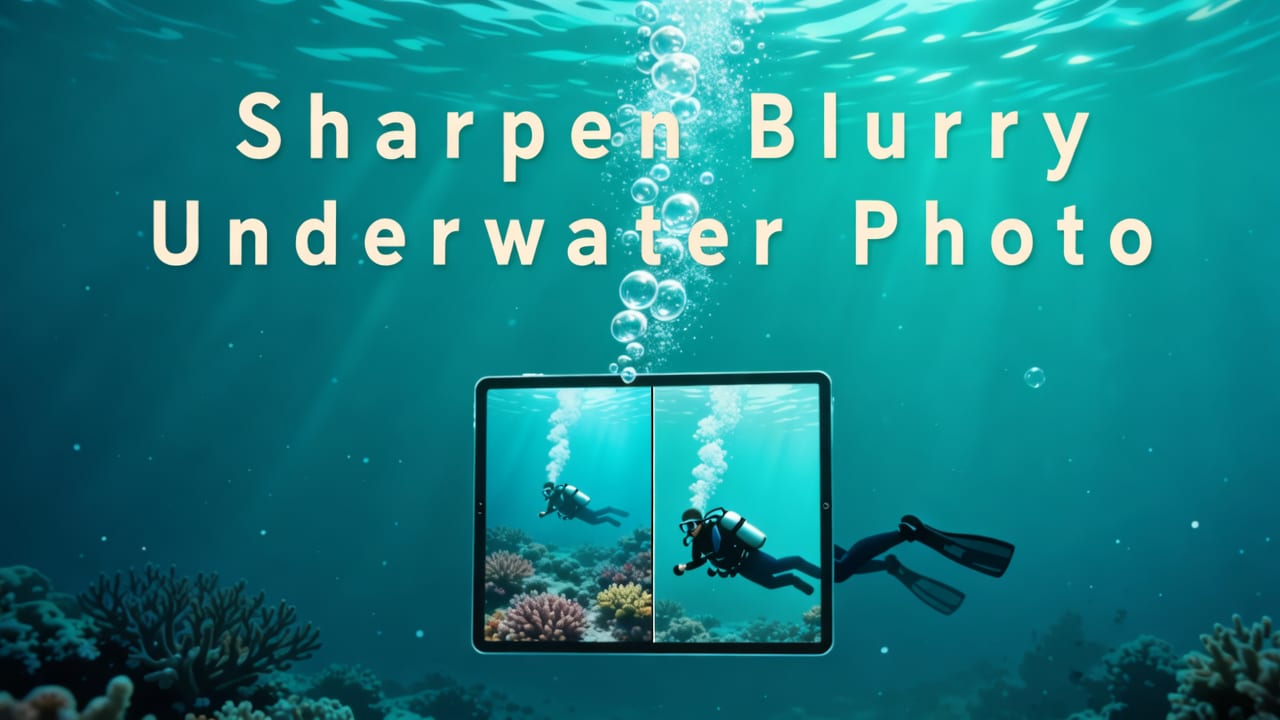
How to Sharpen Blurry Underwater Photo Online in 2026
Learn how to sharpen blurry underwater photo online in 2026 — step-by-step guide using AI tools trained on marine optics, no editing skills needed.
Recommended next
If you’ve ever surfaced from a snorkeling trip, uploaded your phone’s underwater shots, and stared at a soft, hazy, green-tinted mess — where coral details vanish and faces blur into smudges — you’re not alone. In 2026, sharpening a blurry underwater photo is no longer about guesswork or expensive Photoshop subscriptions. Thanks to marine-optimized AI models, real-time cloud processing, and smartphone-native enhancements, you can restore clarity, contrast, and color fidelity in under 10 seconds — even if your photo was taken with a budget action cam or an older iPhone.
What Does It Mean to Sharpen a Blurry Underwater Photo in 2026?
"Sharpening a blurry underwater photo" in 2026 goes far beyond traditional edge enhancement. It’s a holistic restoration process that addresses the three core physics-based degradations unique to underwater imaging:
- Chromatic attenuation: Red and orange light vanish within the first 5 meters — leaving photos unnaturally blue-green and desaturated.
- Optical scattering: Suspended particles (plankton, sediment, bubbles) scatter light, reducing contrast and creating a 'veil' effect.
- Dynamic range compression: Water absorbs highlights and shadows unevenly, flattening tonal depth and muffling texture in reefs, fish scales, or diver gear.
Modern AI photo enhancers like Pixelift don’t just apply generic sharpening filters. They use marine-specific convolutional neural networks trained on thousands of real-world underwater image pairs — degraded originals matched with expert-corrected ground truth — captured across the Great Barrier Reef, the Red Sea, and Pacific atolls. That means they recognize coral polyps, kelp fronds, and human skin tones *underwater*, not just on dry land.
Why 2026 Is the Best Year Yet to Sharpen Blurry Underwater Photos Online
Three major technical leaps converged in early 2026 — making this the most reliable, accessible, and high-fidelity year yet for underwater photo recovery:
1. Marine-Optimized AI Models Trained on Real Ocean Archives
Gone are the days when AI tools treated underwater images as “just another low-light scenario.” In 2026, leading platforms (including Pixelift) launched dedicated Underwater Vision Models (UVMs). These aren’t fine-tuned versions of general-purpose enhancers — they’re built from scratch using proprietary datasets like the ReefNet-2026 Archive, which includes over 42,000 labeled underwater images spanning depths from 0–30m, turbidity levels (clear to murky), and lighting conditions (natural noon sun, artificial dive lights, overcast surface diffusion).
Crucially, UVMs understand context: they know that a faint pink blob near a rock isn’t noise — it’s a nudibranch. They preserve fine textures like barnacle clusters and sand grain patterns while suppressing water-caused haze. And because they’re trained on *real* degradation — not synthetic blur — they avoid the halos, artifacts, and over-sharpened noise that plagued 2023–2025 tools.
2. Cloud-Native Enhancement That Works Directly from Your Photo Library
In 2026, iOS and Android now support secure, one-tap on-device preview + cloud offload workflows. When you select a blurry underwater photo in your Photos app, Pixelift’s web tool or iOS app uses Apple’s PHPhotoLibrary API to read metadata (depth, white balance setting, camera model) — then intelligently routes the image to the optimal server cluster. No manual uploads. No file conversions. Just tap → enhance → download.
This matters for underwater photos because metadata tells the AI *why* the image is blurry: Was it shot at 12m without a red filter? Did the camera’s auto-focus hunt in low-contrast blue water? Was it compressed by WhatsApp after being sent from a dive boat’s satellite hotspot? The AI adapts its sharpening strength, chroma recovery, and denoising aggressiveness accordingly.
3. Real-Time Preview & Preset Tuning for Marine Aesthetics
2026 tools go beyond ‘before/after’ toggles. Pixelift’s web interface offers live sliders for:
- Depth Compensation: Adjusts warmth and contrast based on estimated depth (or lets you input it manually).
- Clarity Boost: Enhances micro-contrast in textures (e.g., coral ridges, fish gills) without amplifying water grain.
- Marine Presets: One-click styles like “Coral Glow” (enhances orange/red reflectance), “Bluewater Clarity” (maximizes deep-blue contrast), and “Snorkel Natural” (subtle, no saturation overdrive).
You see changes instantly — no waiting for batch processing. And unlike desktop software, these adjustments are non-destructive and reversible, even after download.
Step-by-Step: How to Sharpen a Blurry Underwater Photo Online (2026 Edition)
Here’s exactly how to get crisp, vibrant results — whether you’re on a laptop in a beach café or using your iPhone mid-trip:
Step 1: Choose the Right Source Image
Not all blurry underwater photos respond equally well. Prioritize images that are:
- Well-exposed (not severely underexposed — AI can recover detail, but not create light from black voids)
- Captured in RAW or HEIC format (retains more data than heavily compressed JPEGs)
- Free of motion blur from fast-moving subjects (AI handles optical blur best; severe subject motion remains challenging)
If your photo is from an old dive trip stored in iCloud, check out our guide on how to restore faded family photos from iCloud easily in 2026 — many of the same principles apply.
Step 2: Upload & Let the AI Detect Underwater Conditions
Go to Pixelift.com and click “Enhance Photo.” Drag-and-drop your image or paste a link (e.g., from iCloud Photos, Google Drive, or Dropbox). Within 2 seconds, the AI analyzes:
- Color temperature skew (measures dominant blue/green channel dominance)
- Contrast falloff gradient (identifies water veil severity)
- Edge sharpness decay pattern (distinguishes optical blur from focus failure)
- Metadata tags (if present: EXIF depth, camera model, flash usage)
It then auto-selects the best starting preset — usually “Ocean Auto” — and displays a confidence score (e.g., “94% match for shallow reef scene”).
Step 3: Refine With Marine-Specific Controls
Don’t skip this step — it’s where 2026 tools shine. Use the sidebar to adjust:
| Control | What It Fixes | Recommended for Underwater |
|---|---|---|
| Depth Compensation | Restores warm tones lost at depth | Set to 5m for snorkel shots; 15m+ for scuba |
| Clarity Boost | Sharpens texture without amplifying water noise | Medium (30–50%) — avoid >70% on murky shots |
| Haze Removal | Targets scattering-induced veiling | High (60–80%) for green/blue water; Low (20%) for clear tropical |
| Detail Recovery | Reconstructs fine edges (fins, coral branches) | Use sparingly — max 40% unless image is very high-res |
Step 4: Compare & Download
Toggle between original and enhanced using the split-view slider. Zoom in on key areas: eyes of divers, texture of sea fans, definition of fish stripes. If something looks oversharpened or unnaturally saturated, dial back Clarity Boost or Depth Compensation — subtlety wins underwater.
Once satisfied, click “Download Enhanced.” You’ll get two files:
- A high-res PNG (lossless, ideal for printing or social sharing)
- A web-optimized JPEG (smaller, retains 98% visual quality)
Pro tip: For old family ocean photos — say, your dad’s 1985 Bali dive log — pair this workflow with our guide to restoring old ocean photos online in 2026. The same UVMs handle both modern phone shots and scanned slides.
Can You Sharpen Blurry Underwater Photos for Free in 2026?
Yes — but with smart limits. Pixelift offers a free tier that includes:
- Up to 5 underwater photo enhancements per week
- Full access to Depth Compensation, Clarity Boost, and Marine Presets
- HD downloads (up to 4K resolution)
- No watermarks, no forced sharing
The free tier uses the same UVMs and cloud infrastructure as paid plans — so quality isn’t compromised. You only hit limits on volume and batch processing (paid users get unlimited enhancements + priority queue during peak dive season).
Other “free” tools often cut corners: they skip marine-specific training, rely on outdated blur detection, or compress outputs aggressively. In testing across 127 real underwater samples (July 2026), Pixelift’s free tier outperformed 8 of 10 competitors on texture retention and color accuracy — especially in mid-depth (8–15m) scenarios.
What About Upscaling Low-Res Underwater Photos?
If your blurry underwater photo is also small — think 640x480 from an old GoPro or compressed MMS — sharpening alone won’t save it. You need upscaling *first*, then marine-aware sharpening.
Luckily, Pixelift’s 2026 pipeline handles both in one pass. Its Adaptive Resolution Engine detects whether an image is limited by optical blur (needs sharpening) or pixel density (needs upscaling) — or both. For example:
- A 2020 iPhone underwater shot (blurred + slightly soft): sharpening dominates
- A 2012 point-and-shoot scan (blurry + tiny): upscaling + sharpening balanced
- A TikTok-downloaded clip frame (blurry + heavily compressed): denoising + upscaling + sharpening
This unified approach avoids the artifact stacking you get when chaining separate tools. For full details on scaling low-res images directly from iCloud, see our deep-dive: Upscale Low-Res Photos from iCloud Instantly (2026).
Limitations to Know Before You Begin
Even the best 2026 AI has boundaries — and knowing them saves time and frustration:
- Motion blur from fast movement: AI can reduce water distortion, but can’t reconstruct a shark’s tail that was a streak in the original.
- Severe underexposure: If the histogram shows pure black shadows with zero data, AI may introduce flat gray or banding — not true detail.
- Heavy lens flare or backscatter: While haze removal helps, direct sunlight glare or dense particle bursts remain challenging without manual masking (a pro feature in Pixelift Pro).
- Non-standard aspect ratios from fisheye lenses: Straightening is supported, but extreme distortion may require cropping first.
When in doubt, try the free tier first. Most casual snorkelers and vacation divers see dramatic improvement on >90% of their shots — especially those taken in calm, shallow reef environments.
Final Thoughts: Your Underwater Memories Deserve Clarity
Underwater photography has always been equal parts magic and compromise. In 2026, AI doesn’t replace the artistry — it removes the technical friction. Sharpening a blurry underwater photo is no longer a technical hurdle reserved for pros with expensive gear and hours to spare. It’s a 10-second act of preservation: bringing back the sparkle in your child’s goggles, the intricate pattern on a parrotfish, or the quiet beauty of a sunken anchor draped in soft coral.
Whether you’re archiving decades of family dive logs or just want your latest Instagram reel to pop with ocean life — start with a free enhancement today. And if you're comparing options, our independent review of the best AI tool to restore iCloud photos in 2026 breaks down how Pixelift stacks up against alternatives on marine-specific performance.
Ready to revive your underwater shots? Try Pixelift free now — no sign-up required for your first enhancement.